The MHMS Daring School Library Blog

A Shout Out to Our Library Peeps!*

We here at the MHMS Daring School Library have the most AWEsome media helpers!  They apply for the job, interview with Mrs. Black, and are assigned a day where they come in during Seminar to check in books, shelve, and help students find books & audio that appeals to them!  Without them, we would have a hard time meeting all the needs of our customers….our kids! (and teachers, too!)

A super thanks to the awesome kids at MHMS for being wonderfully generous, talented, smart, & fun people to work with!!!!

Here’s a flashback!

Our media helpers from 2003! Serious pic ….then NOT so serious!

I bet some of these kids are prolly graduated from college now!!!

*Yeah…. I said peeps! I’m old school & proud of it!


Caine’s Arcade: Ingenuity, Persistence, Optimism, & Lots of Tape!

MHTV Top Story:

“Caine Monroy built it and the people did come.

The 9-year-old boy from Los Angeles spent an entire summer building an elaborate arcade inside his father’s used auto parts shop.

A 10-minute video (above)  about his creation has been viewed more than two million times and has generated more than $100,000 for a scholarship fund.

Using old cardboard boxes and packing tape, Caine constructed elaborate games, according to the film. He priced tickets — $1 for four plays or $2 for a “fun pass” and 500 plays.

He pinned prizes to the wall. He even developed a high-tech security system for validating the arcade fun passes.

Caine, wearing a blue staff t-shirt he made himself, waited for customers.

But didn’t get any. His dad’s shop in east L.A. does most of its business online and gets very little foot traffic.

Enter Nirvin Mullick, who needed a door handle for his 1996 Toyota Corolla. He explains in the film how he bought a fun pass (it was the better deal) and played some games.

It turns out that one customer was all Caine needed.

Mr. Mullick is a filmmaker and decided to make a video about Caine’s Arcade.

“I said (to Mr. Mullick), it’s actually kind of a little joke around here because you’re his only customer,” says George Monroy, Caine’s dad, in the film. “If you can get him one customer, that would make him happy.”

“At that point we hatched a plan to get everybody in L.A. to come play Caine’s Arcade,” Mr. Mullick says.

Mr. Mullick got on Facebook and organized a flashmob to come to the shop on a Sunday afternoon. The event information went viral and ended up on Reddit, which Mr. Mullick calls “the front page of the Internet.”

Caine’s dad agreed to take his son out for pizza to give the flashmob time to gather and construct colourful signs.

With a honest grin showing uneven teeth, Caine was clearly thrilled to see a massive crowd had gathered and were chanting “we came to play!”

“I saw they were cheering for me,” Caine says at the end of the video. “And I was proud.”

Mr. Mullick’s film has now been viewed nearly one million times on YouTube and 1.5 million times on Vimeo.

A fund set up to send Caine to university — where many have wondered if the boy will study engineering — quickly raised thousands of dollars.

An early push for fundraising for Caine came from Justin McElroy, a video game journalist and managing editor of the Polygon, a video game website that will go live later this year.”

The MHMS Daring School Library Loves Caine’s Arcade!

What does this have to do with the MHMS Daring School Library? Well, this is the kind of spirit of  ingenuity, persistance, optimism, & creativity we foster here at Murray Hill! I’d like to think our kids could learn a thing or two from Caine. We showed this video to all of our 727 kids this during our daily live MHTV show & the our kids were really touched & inspired by it – and Mrs. Singleton & I were fighting over the Kleenex box! Great job, Caine! AWEsome job filmmaker Mr. Nirvin Mullick! You saw something special in this kid and helped realize a dream come true!   Viva creativity and the power of social media!

Caine’s dad Tweeted this morning:

caine is shopping for caps for @cainesarcade

smartparts1 caine is shopping for caps for @cainesarcade http://twitgoo.com/5osb29


Credits:  Story Source: Caine’s Arcade video about inventive L.A. boy raises $100,000 for scholarship fund
Photo Source: Caine’s Arcade Official Website – Used with Permission

Twitter Sources: Filmmaker Nirvin Mullick  @nirvan

Caine’s Arcade: @cainesarcade

Caine’s Dad Mr. Monroy: smartparts1


Google+ Hang Out with QR Codes

We had an exciting day last Friday when we used Google+ to hang out with the 2nd grade gifted inclusion kids at Ms. Mensing’s class from Sonoran Sky Elementary in Scottsdale, Arizona! Whew! That’s a mouthful! But these kids were AWEsome! I taught a brief lesson on QR Codes in the Classroom (and Library!) all about where QR Codes came from, how they are different than regular bar codes, and how they are being used all over the world to transmit information like Text Messages, Video, and URL Web links via Mobile Media!

Say What!?
After that my 6th graders in Ms. Torsani’s Math class held up to the camera special QR Voice audio codes & written messages they composed for the kids!  QR Code Voice is a really cool new resource! You just type in a short message (100 Characters) and click and Voila! You get a QR Code that when scanned reads out in a robotic voice your message! Scan the QR code on the left to see what it says! (Download the FREE QR Code APP i-nigma for both iPhone & Android! Click link or search on the App store for i nigma QR)
Ms. Mensing’s kids scanned the codes using both iPod touch generaton 4′s (like we have here at the MHMS Daring School Library!) and iPad 2′s! (we don’t have any of those yet, but I brought mine in!) they were very engaged with the learning and it was a lot of fun!
Ms. Mensing and I became friends when we were both at the Google Teacher Academy this past summer in Seattle Washington.   That’s her next to me & Miss Critter Sharpe (and another teacher friend) She’s the one with the long blonde hair & fabulous pearls! I’m peeking out from behind the sign – NINJA Style! We had a great time learning together and I’m so glad we could use Google+ to hang out with our kids.
Then…this week I got the BEST PRESENT EVER in the mail! A big envelope of drawings & letters from Ms. Mensing’s class! SQUEE!
See ALL the cool pics here!Most were taken by Mrs. Mensing, Thank you for your permission to use them, hon!
Thank you Ms. Mensing & Ms. Torsani for an amazing video chat adventure! We’re gonna have to do that again! Hmmmm next time MATH!???

10 Super Geeky Tips for the New Year


Resolutions are usually hard to keep..but there are a few easily done things that feel great for a SUPER GEEKY SAFE….errm Aware! New Year. (There is no *safe* on the Interwebs, only Aware!)

(click above for a larger size or download PDF it here)
1. Change your passwords. Yes, ALL of them.
According to CNN Tech an 8 digit password can be hacked in 2 hours but a 12 character password would take 17 years. Use this handy NEW! Comic Tutorial to create a really super new password for every website….don’t worry, there’s a trick! Oh and in the small print I said 3 important things – Change your passwords twice a year, have a different password for Facebook that you don’t use for ANYwhere else because FB’s security is notoriously unreliable (and the bank, too), and as a disclaimer – I’m not a security expert and nothing is foolproof.

2. Check your Browser’s History & Dump your cache, cookies
Parents: If you’re a concerned & want to see what is being viewed on your home computers – check your browser history. Then, at least once a year (I try quarterly) go around to every computer you use public & private -and dump the cache, clear your cookies, & browsing history. Just in case visitors or workers in the home can get into your private business. Also, I would not recommend instant password acceptance on your email, social networks,  or banking institutions.

3. Consolidate your Flashdrives
We all have a gajillion flashdrives floating around from 128mg’s to 16gb’s. Lazy Way: Gather them all up and create a folder on your external HD called flashdrive backups (or one folder per flashdrive) and drag all the stuff in there. Smart Way: Go through all those flashdrives & trash anything you really don’t need & save only the archive worthy stuff. While you’re at it – are those drives named? Do you have an .RTF doc on it that says “If found, Please Read” with your contact information? This might be a good time to get those on there. I give every new teacher to my school a new 4G flashdrive and yeah, sometimes they lose them. So, even though it’s super easy to carry around & save stuff in a pinch, you wanna give yourself a chance to get it back if lost. Now… throw some of those old flashdrives away & go on to the next tip.
dropbox.JPG4. Forget the flashdrive try the cloud!
Now that you’ve backed up your flashdrives consider using Dropbox, Amazon Prime storage, iCloud, or Google docs to save your stuff! Don’t have Dropbox? Get it by using THIS SPECIAL SECRET SQUIRREL LINK to register for dropbox & and you’ll get EXTRA FREE SPACE!  (it’s a geeky pyramid scheme but so worth it!) Dropbox allows you store your files online, easily share files with others, and sync your documents with multiple computers and mobile devices. I have it on my iPad and all my Macs both home and at school! This is a must have tool for educators! It’s Free, Convenient, and Saves Time!
5. Edit your privacy settings & friendships
Facebook is notoriously changing their privacy settings - Google “latest facebook privacy settings” to read blogs with advice to double check that you’re sharing what you want to share. Consider what you share and who you share it with. Also, look at your friends – are you really friends with them? Or are they friends of friends? Friends of friends are NOT friends. “While considering what’s private and public, take time to evaluate what a “friend,” “contact” or “follower” means to you and what types of information you share with different groups.” (Quoted from the super AWEsome )

6. Walk wisely. We all should be good role models for our kids & students about what kind of footprints we’re leaving on the Intarwebs. Google your name, your child’s name, (“your name” add state) and see what comes up. It is up to us to create a positive digital footprint, one that we can show future education institutions, employers, and the future.

7. Buy your name. (or your kids name!) 
For $10 bucks a year you can own your own domain through Google Apps. You don’t want to be the last person who has their own domain or let someone else get it. I was lazy in this, I considered it back in the late 90′s – went with Angelfire instead. That was stooopid. Wish I had grabbed Gwyneth Jones before the Welsh Opera singer & the Sci Fi YA Author! Ahh well! Now I have 2 domains!

8. Clean out your Apps!
If you have a smart phone, iPad, or tablet review the APPS you have downloaded. Are you still using them? If not, they’re taking up valuable memory & space and could be slowing down your phone or tablet. Also delete old versions of Apps. I had a lot of “lite” FREE versions of Apps I later went & bought. (Like yes, Angry Birds & Air Penguin) Save space  and get better performance by cleaning once a year!

9. Go digital with your photos
Using a site like Flickr or Picasa you can save your digital moments & share them with family and friends. Uploads can be either public or private (or to family, friends, groups, etc.)  ”Flickr has some similar qualities to Facebook, such as “contacts” (friends), comment postings, private messages can be sent, there are groups anyone can join, blogs can be maintained, Flickr can be operated via cell phone or computer, and there are even more mutual features.” Directions from:  Setting Up an Online Photo Gallery with Flickr


10. Back up your data.
“Hacks and hardware failures happen. Before this year gets going, make sure as much of your data as possible is protected. From calendars and contacts to blog posts and work projects, more and more of us are relying on networks of servers and startups to keep us running. So, now might be a good time to download and back up files of your contacts and blog posts – anything that’s valuable to you and portable.” Get a big external HD but also burn to CD or DVD the really important stuff because I’ve had externals die on me. And yeah, the cloud is awesome, but I’m not ready to give over yet completely! LOL “Think of it this way: You – or at least parts of you – live in the Internet. If the Internet caught on fire, what would you grab to carry with you out of the blaze?(Quoted, inspired & adapted from the super AWEsome )

What are the geeky things that you do that we can learn from?
Please comment your suggestions, corrections, & additions! Thank you dear readers!

And……Happy New Year!
BEST Christmas Presents EVER!
Oh and though Santa got me an iPad2 for Christmas, don’t tell him but here are the best presents I got this year from 2 students featuring a Ninja Squirrel & Ninja Bacon, & one fabulous kid blogger – my friend Hagan! (click for larger images)


(check out Ninja Bacon! My kids know I love Ninjas!)

Lastly, thank you to everyone who voted for this blog as Edublogs Best Librarian Blog- we were only 16 votes away from winning! Maybe someday! But seriously, having this conversation with you is the real prize! For reals! Thank you!
(not that I’m not gonna pimp my blog with those fab badges! Love me some badges!)

–Credits & Resources
Creating and Remembering Complex Passwords by Alex Jones (not my nephew!)
The Ultimate Guide for Creating Strong Passwords – Some of these suggestions seem impossible but I got great ideas here.
The top 50 passwords you should never use | Naked Security
8 Things Every Geek Needs to Do Before 2010
Five New Years Resolution Suggestions.
Baby Cthulhu Squishable a gift from my dear friend Dr. Gelving Obolensky of New Babbage. Thanks darlin! He, I will NEVER Prune from my PLN tree!

Flashdrive pic from: bamalibrarylady Tamara Evans

Edublog Nominations & Shameless Campaigning!

You know how most people say about awards “It’s enough just to be nominated?” Well, I think most people are fibbing! Sure, it’s TOTALLY true that it’s a distinct honor to be nominated! Especially for a crowdsourced award like the International Edublogs Award! And admittedly, I collect these blog badges with undisguised avarice & glee! I also gotta argue with the quote from the cinematic oeuvre Blazing Saddles “We don’t need no stinkin badges” – because yes, YES we do! Oooh shiny shiny!  Maybe because I was kicked out of the girl scouts for talking too much in 5th grade – I just can’t help but love the monetarily free but oh so personally rewarding little square .jpeg that shows that my contemporaries & colleagues feel that we and what we’re doing matter! So yeah, WOW! I can’t help but be psyched that we were nominated for Best Educational Wiki our Daring Tech Wiki! That’s totally mind-blowing, humbling, and a true honor! And sure – I could be all “I don’t care if we win” but that would be disingenuous, and why the heck not try to win!?? LOL  Do you think that Lady GaGa doesn’t want to win the Grammy? Do you think that ANYone nominated for an OSCAR doesn’t wanna get that sweet shiny gold statue? HA! It’s human nature! 

So am I gonna campaign? Well, yes and no. I’m not gonna hire PR guru Donnie Deutsch or the Goodyear Blimp! (Cha ching!) But I am writing this to blog saying YAY! Thank you, We’re honored & Please Consider us & Vote! both with my parents & students and my Daring Librarian blog readers. Is that shameless? YES! Thank goodness I’m totally OK with being shameless!

Here’s how you can vote for us!

(Comic tutorial directions below for my fellow visual learners!)

Best Educational Tech Wiki – Drop down & look for Daring Tech Wiki!~

Ms. Jones, your Daring Librarian, was also nominated in 3 other categories (I know, pinch me right?) If you would like to vote for her,  here are the links & what to look for! Thank you!

Best Individual Tweeter – Drop down the Category on Right to Best Individual Tweeter again & look for GwynethJones

Most Influential Blog Post – drop down last on the list Gwyneth Anne Bronwynne Jones for Lady GaGa Librarians Unite!   Nominated by The Mighty Little Librarian Tiff!  – Thank you!

Best Librarian / Library Blog – The Daring Librarian.com  Nominated by The Library Girl, Jennifer LaGarde! Thank you!


Thank you everyone else who nominated us! We’re thrilled to be considered – and in the words of the venerable Wayne Campbell “We’re not worthy!!!!!!!!!!!”

Directions on HOW to Vote

Here's How to Vote - it's trixy! Click above for larger size. Thank you!


My Edublog Nominations

To celebrate the #Eddies this year I thought I would do my nominating both on my professional blog and here on our NEW! Daring School Library Edublog! The EduBlogger award nomination process is a wonderful opportunity Pay it Forward by recognizing those in our PLN for their hard work and generosity. I wish I could name more than one on several of these categories! Gah!  The Edublog awards have had a lot of buzz the last couple of years (both positive & hater) but I find the event & experience invigorating! I’ve been humbled & honored to be nominated a couple times (first by the amazing Shelly S Terrell! Thank you, Shelly!) and even came in second runner up once or twice! But what I get most from the Edublogs is an ever growing list of great new voices and views to add to my personal learning network.

To practice what I preach about educational thieving, when I like something I STEAL IT!  Here are my cribbed & adapted Edublog nominations! Heh heh heh! If you recognize something that looks familiar to something you nominated or wrote, I hope you’re not mad & take it as flattery! 

  • Best ed tech / resource sharing blog - Steven Anderson  & his Web 2.o Classroom blog.  Honestly, sometimes people email me asking me how to do something & if I haven’t blogged about it before  before I write it up for them I check Steven’s blog and Voila! It’s usually there!
  • Best individual blog Librarian by Day by Bobbi Newman   fellow Libary Journal Mover & Shaker Bobbi Newman always has interesting information to share and a unique voice in the EdTech Librarian world!
  • Best group blog http://denblogs.com/ I have to agree with Steve Dembo “the DEN Global blog is far and away the best group blogs in the EduVerse. Whether you grade based on quality, quantity, or value to visitors, our Leadership Council bloggers are doing an unbelievable job and absolutely deserve to be recognized for their efforts!” So I hereby nominate for the Best Group Blog!
  • Best NEW blog: Tamara Cox – Eliterate Librarian She’s another Geek Tribe shameless sharer and I LOVE that! She also was kind enough to leave a comment or two on this blog that were so spot on it drew me to her blog & I was hooked!
  • Best individual tweeter: Shannon Miller Shannon Miller has a zest for the new, the challenging, and is a true change agent in her school, district, & community! She also is one of Cengage/Gale and SLJ’s 5 national new library leaders program and a Shorty award winner! Her useful & positive Tweets brighten & inspire me! I also have to give mad props to Steven Anderson Seriously, the guy is a rock star!
  • Best twitter hashtag- #tlchat, This is the hashtag that I always check to keep a pulse on library trends and news. I also like #EdChat a LOT!
  • Best Educational Use of Audio/Video/Visual/Podcast Flocabulary @Flocabulary I’ve blogged about Flocabulary before but honestly, this has been one of the most relevant & incredibly enriching video resources in my school!
  • Best Student Blog Hagan’s World of Awesome @haganemiller - I’m not a little kid person…I admit it. I teach middle schoolers & find most elem kids well, a little whiny & annoying – but this kid is amazing! Sure, I’m a wee bit biased as he’s the son of a friend but seriously – you gotta check out this blog! It’s visual, upbeat, interesting, engaging, and very very AWEsome!
  • Most Influential Blog Post #You Matter…..Two World-Changing Words @angelamaiers I am a huge admirer of Angela Maiers! She’s positive, insightful, and oh so on point! The #youmatter movement – I’m totally behind it!
  • Best librarian / library blog- Adventures of Library Girl. This is the toughest one for me EVERY YEAR because within my PLN there are so many wonderful librarian bloggers, but this year my nomination goes to one of my mentees Jennifer LaGarde’s blog! She has consistently inspired me with her creative ideas and passion!
  • Best open PD / unconference / webinar series: TL Virtual Cafe The TL Virtual Cafe is such an incredible FREE PD opportunity offered every month! Participating in this terrific webinar series has helped me to grow so much as a teacher-librarian and it always leaves me refreshed and full of new ideas. Our Geek Tribe is so giving… having so many willing to share makes for something really great!
  • Best free web toolSweet Search for Students.
  • Best educational Ed Tech Wiki: The Mighty Little Librarian’s Tech Tuesdays. I love this series because it helps her teachers learn more about technology, improve their teaching, and advocates for her role as a tech leader in her school. All around a wonderful project. I always get great ideas from Tiff! I’m flattered she considers me a mentor but honestly, it’s a lovely symbiotic relationship where she takes ideas from me & expands them into new fabulousness and I take ideas from her and get continuously inspired!
  • Best open PD / unconference / webinar series- TL Virtual Cafe- my source for all the latest and greatest in the library world – now co-managed by Jennifer LaGarde & welcoming new moderators Librarian Tiff, Joquetta Johnson, & Shannon M. Miller!
  • Best School Administrator blog: Eric Sheninger – A Principal’s Reflections Eric Sheninger is an inspiring administrator he’s a super advocate for social media in schools.
  • Best educational use of a social network: Joquetta Johnson - The Digital Diva- Energetic and exciting – Joquetta brings it all together from blogs, tweets, nings, to amazingly inspirational sessions and presentations that make you want to jump up and drink whatever koolaid she’s serving. Yeah, she’s that good.
  • Lifetime achievement: Joyce Valenza Joyce is the queen of our Geek Tribe. She’s brilliant and inspirational. She’s an incredible leader and fabulous speaker. She is a shameless sharer and my official mentor. (I never get tired of typing that, right!?) Joyce is also kind, generous, and a great collaborator. With everything that she has done and continues to do to push our profession and education forward, she completely deserves to be recognized!

Why Edublog Awards?

The Edublog Awards is a community based incentive started in 2005 in response to community concerns relating to how schools, districts and educational institutions were blocking access of learner and teacher blog sites for educational purposes.

The purpose of the Edublog awards is promote and demonstrate the educational values of these social media.

The best aspects include that it creates a fabulous resource for educators to use for ideas on how social media is used in different contexts, with a range of different learners.

To nominate, all you need is to:

1. Write a post that includes your nominations on your blog, link to them and link to this site (See an example from 2009.)
2. Use the form at the bottom of this page to send us a link to your nominations

Tips

- Nominate in as many categories as you want!
- You can’t nominate yourself ;)
- Nominations must be made somewhere public – your blog, a forum on a ning, a school website, etc.
- Even if you see your favorite has already been nominated, it is best to nominate them again
- Categories are competitive, and only the most nominated will make it to the voting round
- Share your nominations using twitter (#eddies11), facebook, Google+ and email

Daring Alebrije-Inspired Sculptures in the MHMS School Library


Ms. Rachel Ludlow, super talented Art Teacher, and her amazing kids installed an art exhibition in the MHMS Daring School Library the other day.  From Ms. Ludlow: “7th grade art students researched alebrije sculptures that were originally created by Pedro Linares Lopez, a Mexican artist. Alebrije sculptures show imaginative, hybrid creatures made of parts of different animals.  Students brainstormed animal symbols that represented their personalities (example: quiet like a mouse) and combined these creatures together to create an original alebrije-inspired creature.

After sketching their ideas, students built armatures, or skeletons, for their creatures with recycled items like plastic bottles, newspaper and cardboard.  Then, students used the paper mache technique of dipping strips of newspaper and paper towel in glue and applying it to the armature to create a “skin” that could be painted when dry. Students were given only yellow, blue, red, black and white paint and had to mix their custom colors.  Patterns and line details were added to give the sculptures more personality! Enjoy!”

What is an alebrije?  An alebrije (ala-bree-hey) is a mythical creature made of parts of different animals. Alebrije is a term used to describe a wild or fanciful creature that exists only in the imagination.

Who made the first alebrijes?  Alebrijes were originally the creation of Mexican artist Pedro Linares Lopez (1906-1992) who started sculpting wild animal sculptures in the 1940’s and called them alebrijes. Pedro Linares started as a skilled carton judas and figurine-maker for Diego Rivera, Frida Kahlo and many other artist from de Academia de San Carlos. The art form of alebrijes were created by Pedro Linares after he became ill at 30 years old, in México City, his own unique alebrijes came out of a dream, depicting his death and rebirth in a mountainous setting inhabited by these fierce creatures.

History:

Why did Pedro Linares Lopez make alebrijes?  Pedro’s alebrijes were based on dreams and hallucinations he experienced while ill at age 30. While he was in bed, unconscious, Pedro dreamt of a strange place resembling a forest. There were trees, animals, clouds, sky, rocks, etc.; he felt no pain and was very happy in this dream world. Suddenly, rocks, clouds and animals turned into strange, unknown animals.  All of them were shouting just one word, louder and louder: “Alebrijes, Alebrijes, Alebrijes!”

How did Pedro make alebrijes sculptures?  When Linares could get out of bed, he started to remember his dream and he wanted his family and everybody to know about the animals he saw, so he used paper, reeds, and wire to create armatures for the alebrijes.  Pedro covered the armatures using the paper mache technique. Sheets of plain brown paper or newspaper were added in layers to cover the frame until it was firm.  The figure then had to dry thoroughly.  In Mexico, the sunny weather speeds up this process. The final figure was first painted white. Then colorful painting and intricate patterns were added. He painted them as he saw them in his dream.

An Animated Library Orientation

GoAnimate.com: Daring Library Media Orientation Animation by gwyneth

If you want to learn more about how to create your own animations,  visit my Animation Studios & Sites Wikipage for all kinds of links, articles, blog postings, directions, comic tutorials, & more!
AnimationStudiosWikiW.jpgOn that wikipage you’ll find information about Go!Animate (as shown in this posting) also, Blabberize, ToonDoo, Xtranormal, and more! ALL with Comic Life Comic Tutorials to help you learn how to make your very own animations. Kids: some of these sites require you to sign up for them, if you’re under 13 please ask your parents before registering. Hey! Even better, grab your Mom or Dad & why not learn animation together!
Research_Databases3.jpg
Research Databases & Homework Help

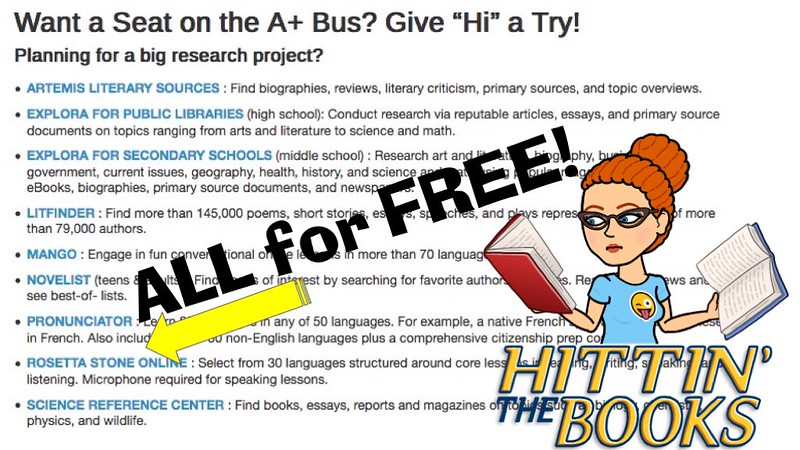
As mentioned in the orientation don’t forget to use our Research Databases for your homework & out of classroom needs! It feels like cheating, but it’s not!
GoAnimate.com: Beam Me Up Databases! by gwyneth


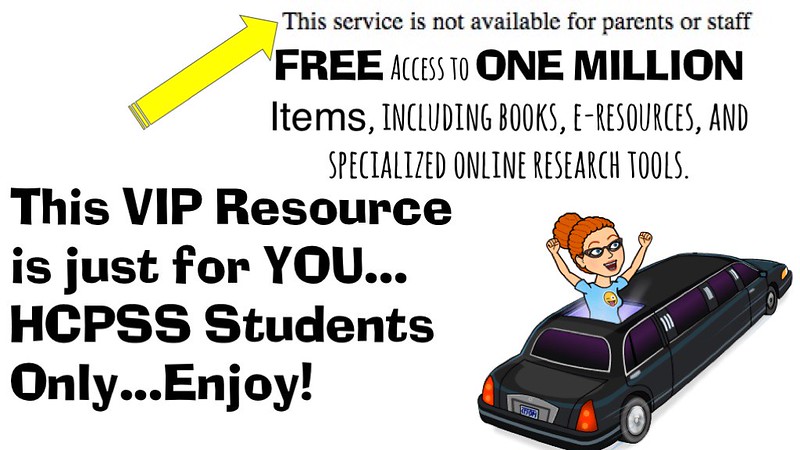
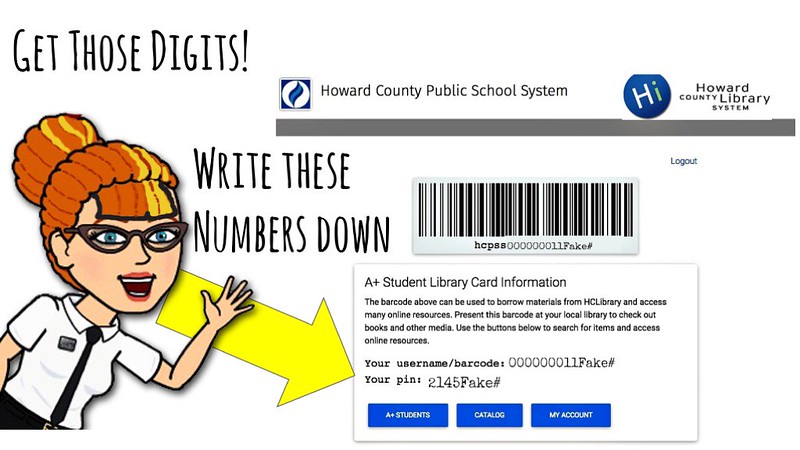
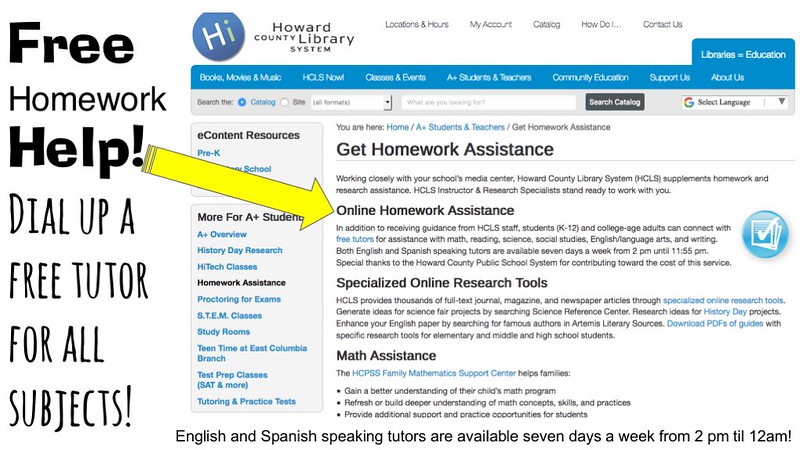
FREE! Homework Help from the HCL!
Students, from Kindergarten though college, can interact with tutors in math, science, English, and social studies. Tutors available seven days a week from 2:00 pm until 12:00 am daily. Tutors also available in Spanish. Special thanks to the Howard County Public School System for contributing toward the cost of this service. More about Live Homework Help …

YOU Are Our BEST Customer!

That’s right Murray Hillers! Our beloved students, parents, families, teachers, & community are our BEST customers! You’re why we’re here!

Welcome Back to School!

Murray Hill Middle School strives every day to put into practice our motto “A Model for School Improvement!”  We strive to be accessible by utilizing Google forms, Google docs, and wikipages to provide many ways for you to feel connected to our school and to have a voice! Here’s just a few ways we’re here for YOU!

You suggest the books & we buy them!

During your media center orientations you will hear more about contributing YOUR suggestions to our annual book order. But for those of you who are tech savvy, at home, you can Google “MHMS Learning” and our Learning Wiki comes up first! (OR you could click the link! LOL)….there you will see the banner “I WANT THIS BOOK.” Click on that banner (also above!)  and you can add any books, authors, or subjects of books that you would like to see purchased for our school library collection. (Murray Hill peeps only…sorry world!)

You suggest songs & we play them!

Like music?  While at the wiki you will also see a banner for our new MHTV Music Request Line where you can suggest Appropriate clean songs to play on our show. Clicking on this banner will take you to a form where you can suggest songs with our MHTV guidelines. Basically, don’t forget to check lyrics for language (no f-bombs, sh-words or b words!) and content (no drinking, drugs, overt sex, demeaning or prejudicial terms) ALL song must ultimately have a good & positive message! That’s how we roll!

You write the book reviews & we publish them!
Write a good book review and we’ll publish it! You can also read book reviews that other MHMS students have written.

You need tech help at home?  You got it!

Printer run out of ink? Don’t know how to save your DOCX to a DOC? Wanna use Wikipedia but don’t know how to cite it? (Hint: DON’T!) See the Wiki for the whole story! Who needs the Geek Squad when you have us to help you out!? Visit our Trouble Shooting Tips for Students (and parents & teachers, too!) wikipage!

You need homework help at home?  You got it!

Our research databases are so AWEsome, it only feels like cheating!

MHMS is Everywhere.

For You.

(not in a stalky way, though! LOL)

Follow MHMS_Media on Twitter! Look for exciting new books, fun contests, & ways to publish Twitter styled & sized book reviews!

Like Us on Facebook! 

Please feel free to participate on our interactive wiki, blog, Facebook, and Twitter! We want to be available to you wherever you are!  If you have any suggestions on how we can be more interactive with you, our school, and community? Please tell us by leaving a comment! We HEART Comments!

QR Codes Hit the Hill!

We embrace mobile media here at MHMS! Proof of which you’ll see in cool black and white when you visit us for Back to School Night!

Have a smart phone?  Be ready & download a QR code reader app!  We really like the FREE iNigma QR code reader available in both Droid, iPhone, or iPad versions.  You’ll see several QR Codes around the building guiding you to different helpful websites (and maybe a secret message or two!) – be ready to scan! Want to learn more about QR Codes? Check out this handy Comic Tutorial!

Ps. Exciting news update!  Ms. Jones got accepted & attended the super cool & exclusive Google Teacher Academy in Seattle Washington this summer….and though she’s LONG been a Googler now she’s an official Google Certified Teacher! Whooooohoooo!! I can’t wait to show you all the cool stuffs I learned that will extra Googlize your life!

Follow MHMS_Media on Twitter!

Please Follow us on Twitter! We’re gonna be Tweeting next year about books, cool projects, exciting research, TV & Video production, and more! Sure, Twitter is blocked at MHMS but that’s not gonna stop us from Tweeting about the cool things that are going on at the Murray Hill Middle School Daring School Library!

We’re getting used to this new blog.. I finally said goodbye on our old blog and announced our move to here…what do you think? I’ve had some really great feedback, I really appreciate the welcome to Edublogs, and I think we’re gonna like it here!